terms
This block is part of the aggregation group and was last modified in core v13.0.4.
Field Selection Required
This block relies on a field that you select to perform its data actions. You must manually select the field you want to use in your flow using the field selector modal. To access the modal, click the white button on the block.
terms v13.0.4 Performs term-based grouping, allowing aggregation on specified criteria.
- Missing
valueIn case the given term/field couldn't be found within a document, we could replace it with a custom value.
- Bucket Size required
numberBuckets to return. e.g. 5, smaller buckets are more efficient. • Max: 10000
- minimum
numberMinimum documents required to use it (default: none)
- order key
v9.3.2valueThe sub-aggregation name to order on or
_keyto sort on the current field. - order asc
v9.3.2conditionOrder results in an ascending manner.
- Options
object
- aggregation
aggregation
group on field |
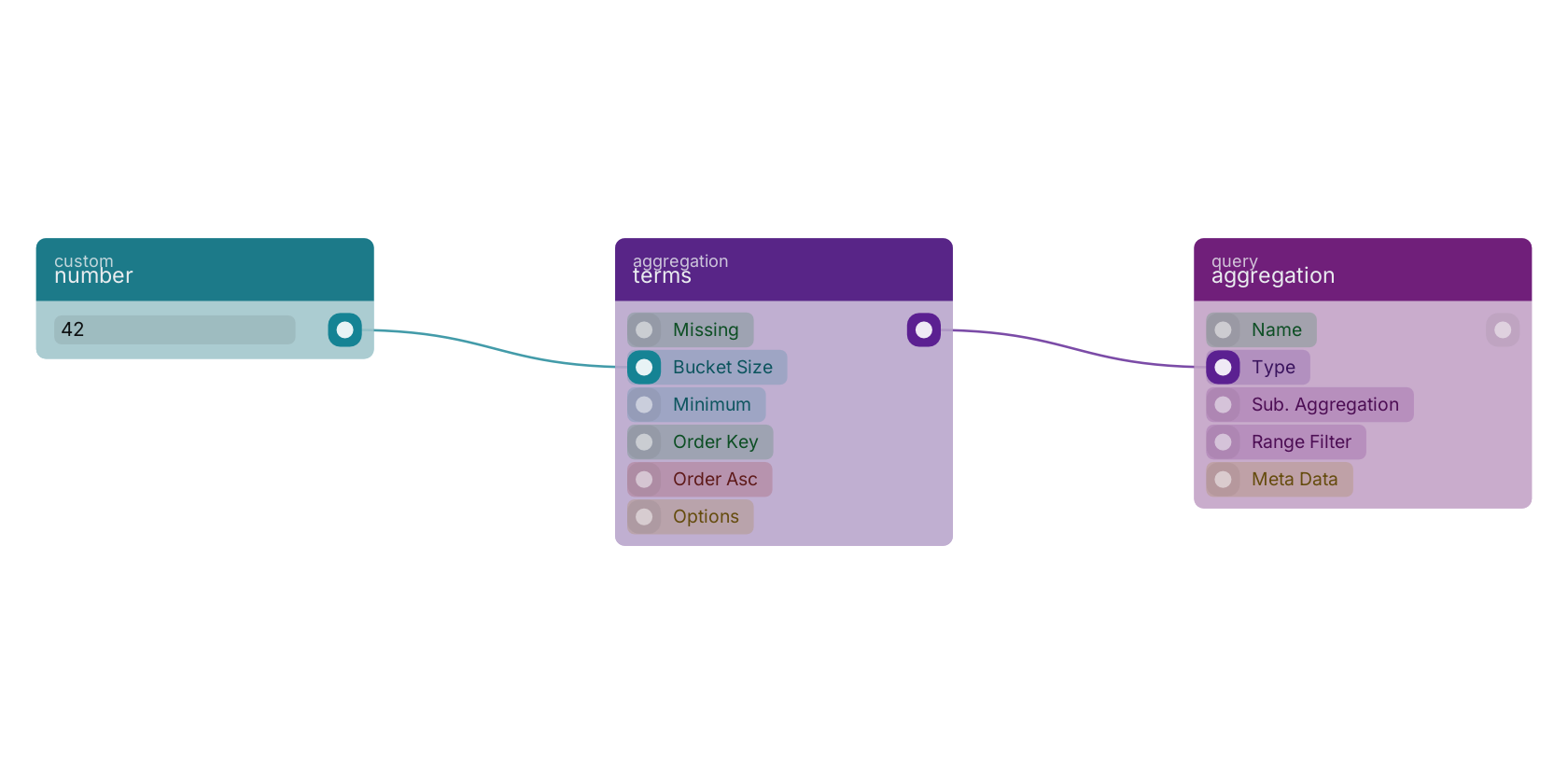
A typical wiring for terms: number feeds the size pin; the aggregation out pin feeds aggregation.
Commonly used with
In production blueprints, this block is most often wired together with:
- number: feeds into this block. Generates a valid number from the filled custom value in the blueprint.
- aggregation: this block feeds into it. Build an aggregation on the given query.
Used in these guides
These documentation pages use or explain this block:
Version history
Introduced in v13.0.4.
v9.3.2, click here to see the release notes. Back to
aggregation Return to the main group to view all sub-groups Back to aggregation Return to the group to view all blocks within this group