add to bottom of array
This block is part of the array group and was last modified in core v10.4.28.
Type Selection Required
This block requires you to select the data type you want to work with. You must manually select the type using the type selector modal. To access the modal, click the white button on the block.
Field Selection Required
This block requires field selection (in). You must manually select the fields you want to work with using the field selector modal. To access the modal, click the white button on the block.
add to bottom of array v10.4.28 Adds your given value to your given array.
- array
arrayThe array to which the value will be added (optional).
- Array
arrayThe array with the added value.
Appends to a COPY of the input array; the input is never mutated. Every filled one of the object, value, number, condition and date pins is appended, in that fixed order, so filling several appends several elements. A date is appended as a unix-seconds number. With no array wired the output is a new array holding just the appended value(s).
push |
A typical wiring for add to bottom of array: foreach feeds the array pin; update document feeds the value pin; upsert document feeds the number pin; the array out pin feeds remove duplicates.
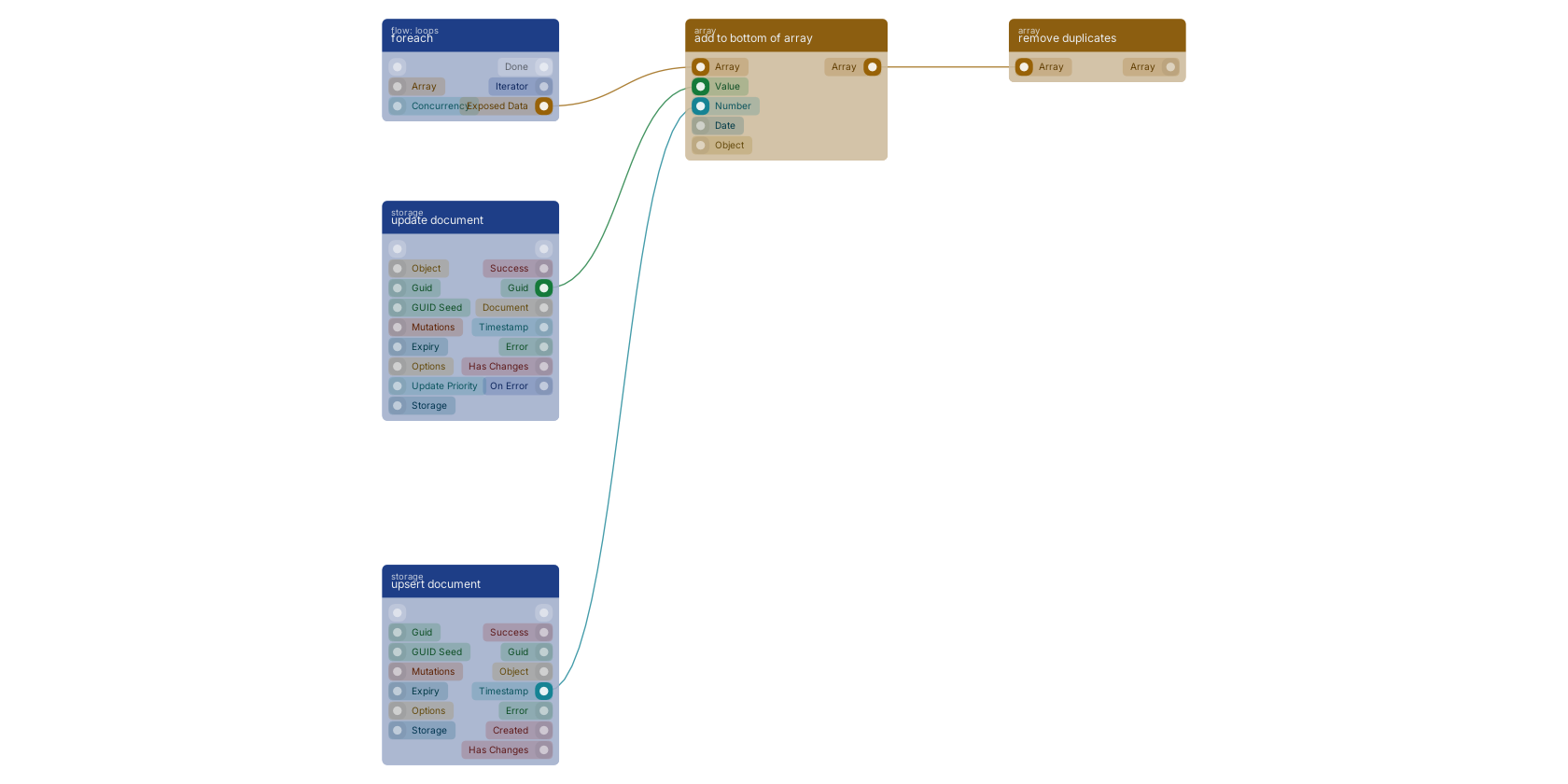
Commonly used with
In production blueprints, this block is most often wired together with:
- get fields: feeds into this block. Gets the selected fields from the given object.
- remove duplicates: this block feeds into it. Removes duplicate values from an array.
- new object: this block feeds into it. Builds a new object filled with the given fields.
- foreach: feeds into this block.
- update document: feeds into this block. Update document in the given storage and creates a revision for it.
- upsert document: feeds into this block. Creates or updates a document with the given GUID. If the document does not exist, it will be created. If it already exists, the mutations will be applied to the existing document.
Version history
Introduced in v10.4.28.
Back to
array Return to the main group to view all sub-groups Back to array Return to the group to view all blocks within this group