merge objects
This block is part of the object group and was last modified in core v10.4.28.
merge objects v10.4.28 In pins 1
- object required
object
Out pins 1
- object
object
SHALLOW top-level merge: starts from a DEEP copy of the object pin, then copies the top-level keys of every connected object pin over it in pin order -- later pins WIN on duplicate keys, and nested objects are REPLACED whole, never merged recursively. Example: {a:{x:1}} merged with {a:{y:2}} -> {a:{y:2}}. Non-object inputs are ignored; inputs are not modified.
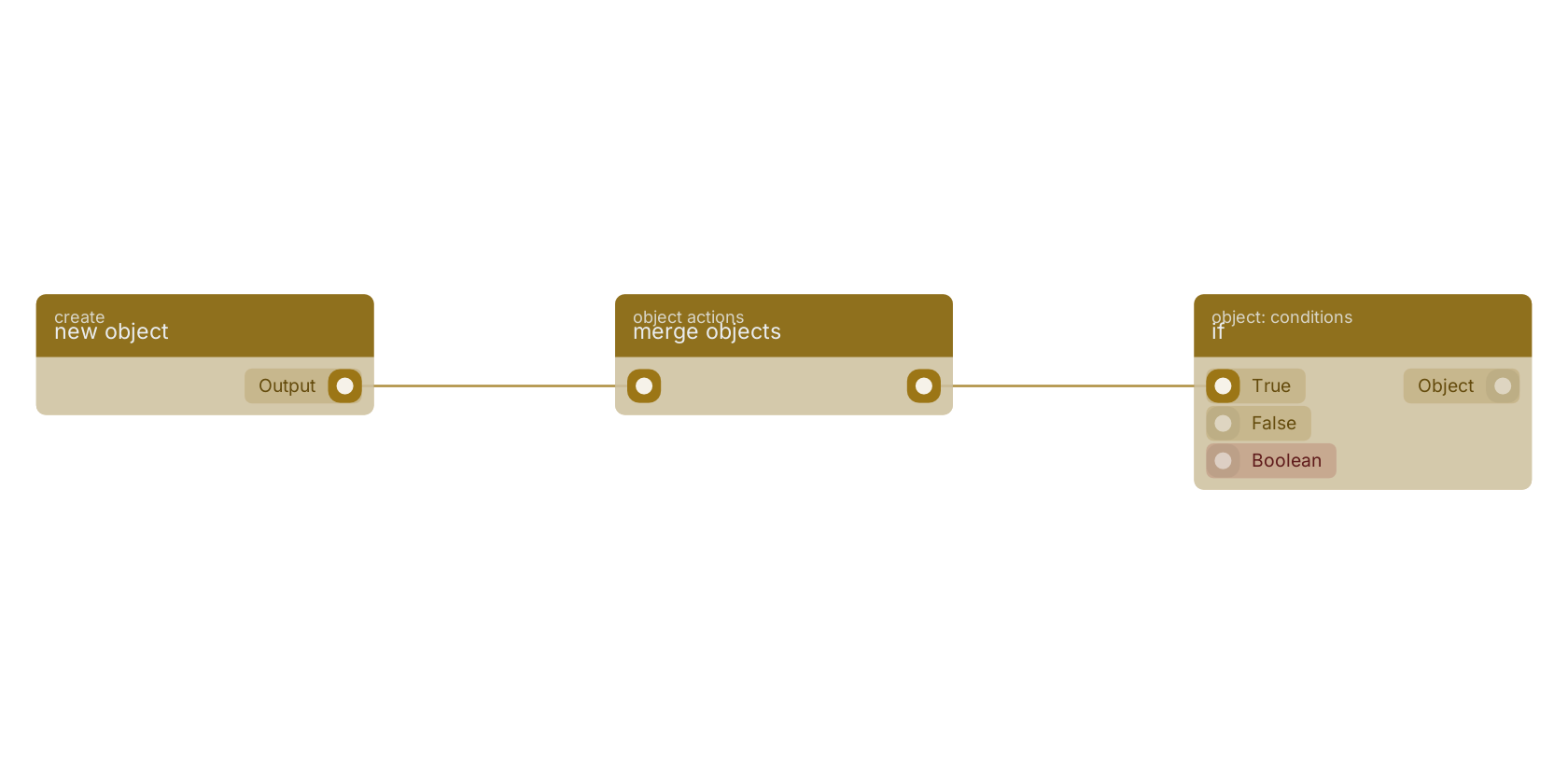
A typical wiring for merge objects: new object feeds the object pin; the object out pin feeds if.
Commonly used with
In production blueprints, this block is most often wired together with:
- new object: feeds into this block. Builds a new object filled with the given fields.
- if: wired in both directions with this block.
- select fields from: wired in both directions with this block. select one or multiple fields existing in the object, and only pass those values.
- get document: feeds into this block. get a specific document based on the given GUID.
- return Exposed Data: this block feeds into it. Adds a custom array for each iteration in ForEach, allows you to expose values back to the original flow.
Version history
Introduced in v10.4.28.
Back to
object Return to the main group to view all sub-groups Back to object actions Return to the group to view all blocks within this group