get device history
This block is part of the globals group and was last modified in core v15.0.0.
get device history v15.0.0 Returns recorded readings for one capability of one device, optionally bucketed for charting.
- flow
v15.0.0flow - device
v15.0.0valueDevice id, native address, or exact device name. Leave empty to use the device picked on the block.
- capability required
v15.0.0valueSuggestions:
temperaturehumiditypower_wattsenergy_kwhoccupancycontactbatteryilluminance - from
v15.0.0dateStart of the window. Defaults to 24 hours ago.
- to
v15.0.0dateEnd of the window. Defaults to now.
- buckets
v15.0.0numberHow many aggregated windows to return. 0 returns raw readings only.
- flow
v15.0.0flow - readings
v15.0.0arrayRaw stored readings, oldest first: {device_id, capability, value, text, at}.
- buckets
v15.0.0arrayAggregated windows, when buckets > 0: {at, min, max, avg, last, delta, count}.
- count
v15.0.0number - recording
v15.0.0conditionFalse when nothing is being stored for this device and capability : an empty result then means 'not recorded', not 'nothing happened'. Two things make it false: a capability this node never records, and a device that has not been adopted, because the recorder ignores unadopted devices entirely.
- unit
v15.0.0valueDisplay unit, e.g. °C or kWh.
- error
v15.0.0value
Reads the device analytics store, which records CHANGES rather than every report: alarms and states on transitions, measurements past a per-capability deadband plus a heartbeat, meters at a fixed interval. So the readings are a faithful record of what changed, not a sample of what was said. `buckets` > 0 additionally returns aggregated windows whose shape follows the capability kind : a meter reports `delta` (consumption per window) because its raw lifetime total is a meaningless ramp, an alarm's `avg` is the fraction of the window it was true, everything else gets min/max/avg/last. Empty windows are omitted rather than zero-filled: a gap means the device did not report, and drawing it as zero invents a reading. Returns empty with recording=false on a node with analytics switched off.
zigbee |
zwave |
matter |
thread |
hue |
smart home |
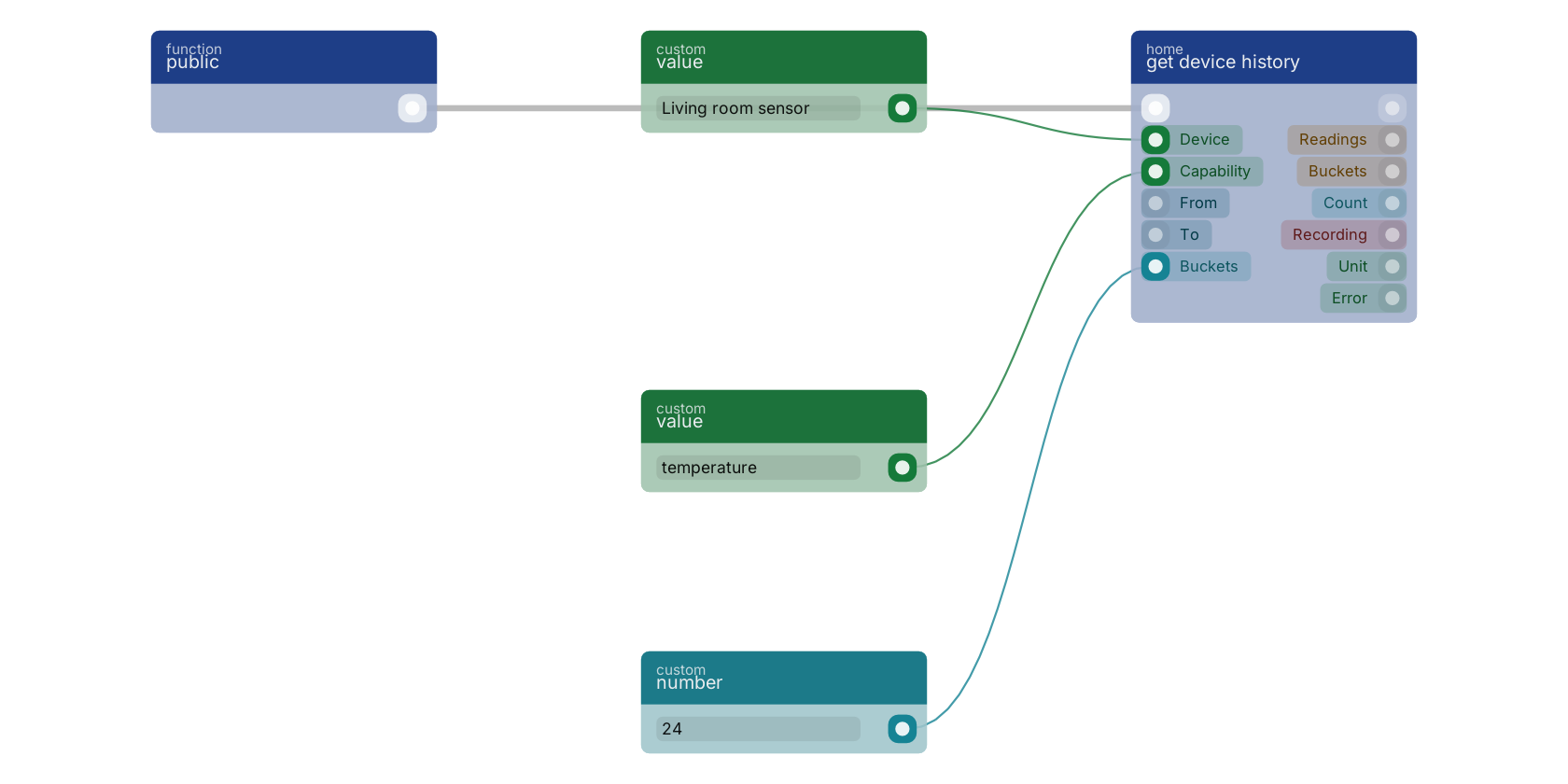
get device history reads the analytics store, which records what CHANGED rather than every report. With from and to left empty the window is the last 24 hours, and buckets set to 24 additionally returns one aggregated window per hour on the buckets pin. Watch the recording pin: it is false when this node stores no history for that capability, which is a different answer from "nothing happened".
Used in these guides
These documentation pages use or explain this block:
Version history
Introduced in v15.0.0.
Back to
globals Return to the main group to view all sub-groups Back to home Return to the group to view all blocks within this group