camera motion detected
This block is part of the globals group and was last modified in core v15.0.0.
camera motion detected v15.0.0 Starts the flow when a camera detects motion.
- device
v15.0.0valueOnly fire for this device. Leave empty to fire for every matching device.
- room
v15.0.0valueOnly fire for devices in this room. Leave empty for every room.
- flow
v15.0.0flow - device
v15.0.0objectThe full device: id, name, room, type, capabilities, current state.
- device id
v15.0.0valueStable platform id, e.g. zigbee:0x00158d0007e1a2b3.
- name
v15.0.0valueThe device's friendly name.
- room
v15.0.0valueThe room the device is assigned to, empty if none.
- type
v15.0.0valuesensor, light, switch, climate, cover, lock or button.
- capability
v15.0.0valueWhich capability changed, e.g. occupancy, contact, power.
- value
v15.0.0valueThe new value.
- previous
v15.0.0valueThe value before this change, empty on the first report.
- at
v15.0.0numberUnix seconds the device reported.
Start-of-flow trigger on the motion_event capability from a UniFi Protect camera. Momentary : a camera fires an event per detection, not a sustained occupancy state, so this fires per detection. For a presence-style occupancy sensor use presence detected instead.
zigbee |
zwave |
matter |
thread |
smart home |
home assistant |
trigger |
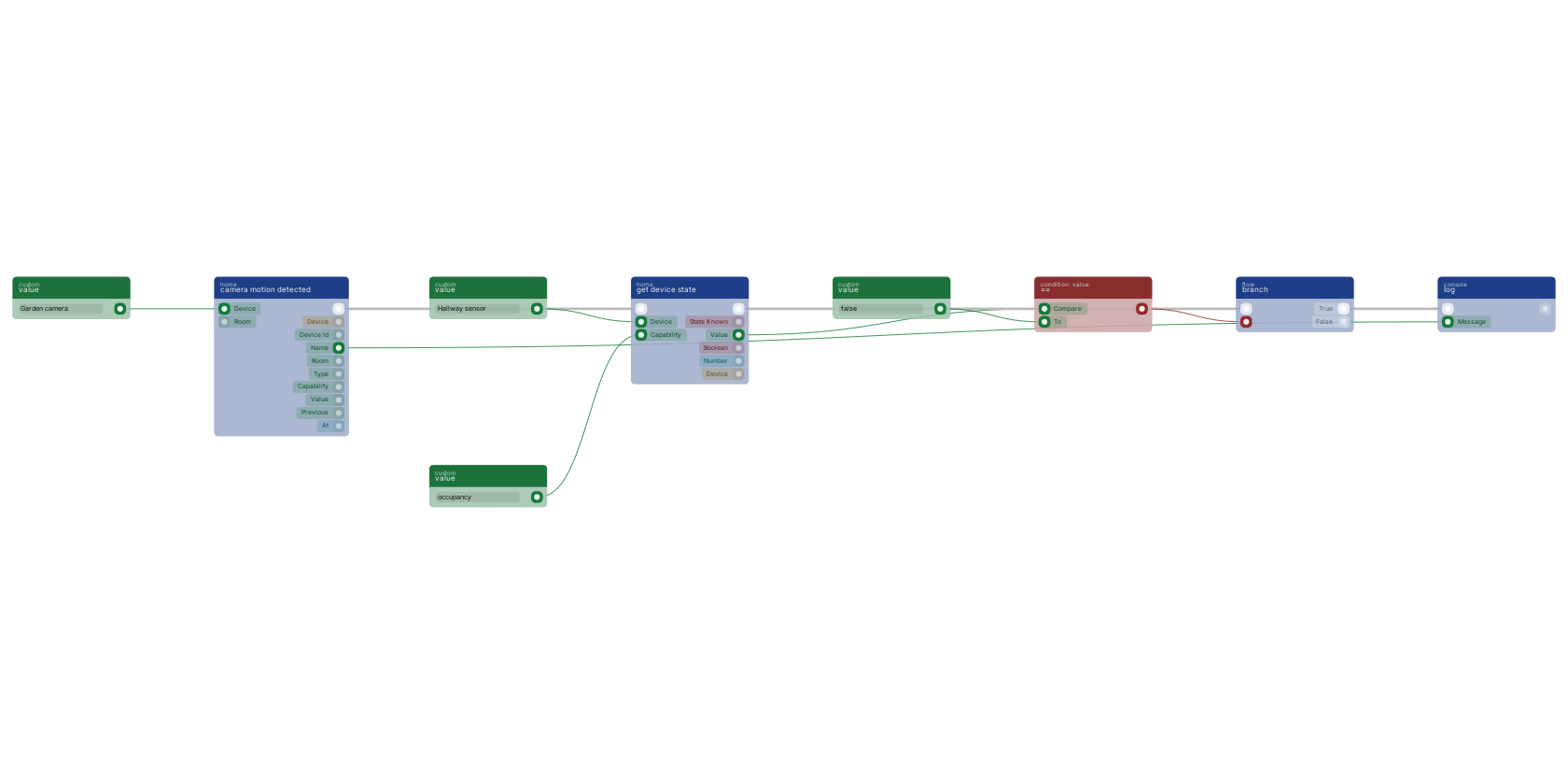
camera motion fires often enough that notifying on every event trains people to ignore it. Gate it: read an occupancy value with get device state, compare it, and let branch pass only the motion that happens when nobody is supposed to be there.
Version history
Introduced in v15.0.0.
Back to
globals Return to the main group to view all sub-groups Back to home Return to the group to view all blocks within this group