link
This block is part of the state ui group and was last modified in core v13.0.6.
Connection Type
This block connects from a statedatatableconnection type block. Make sure to connect this block to the appropriate left-hand side connection.
link v13.0.1 Updated v13.0.6Adds a link that can be placed anywhere in the row.
- text required
v13.0.6valueTo be shown within the link, you can use data from the result like
{{ name }} - icon
v13.0.6valueTo be shown next to the next.
- class icon
v13.0.6uiclassHidden when unused
- style icon
v13.0.6uistyleHidden when unused
- attributes icon
v13.0.6uiattributesHidden when unused
- column title
v13.0.6valueColumn title to be shown for the column • Hidden when unused
- href required
valueThe URL that the hyperlink points to. It is possible to use {{ guid }} in the href to insert the guid of the row being rendered.
- target
valueWhere to display the linked URL, as the name for a browsing context (a tab, window, or iframe).
- class
uiclassHidden when unused
- style
uistyleHidden when unused
- attributes
uiattributesHidden when unused
- add before
fielddefinitionsAdds the button before the given column. • Hidden when other fields are filled
- add after
fielddefinitionsAdds the button after the given column. • Hidden when other fields are filled
- statedatatableconnection
statedatatableconnection
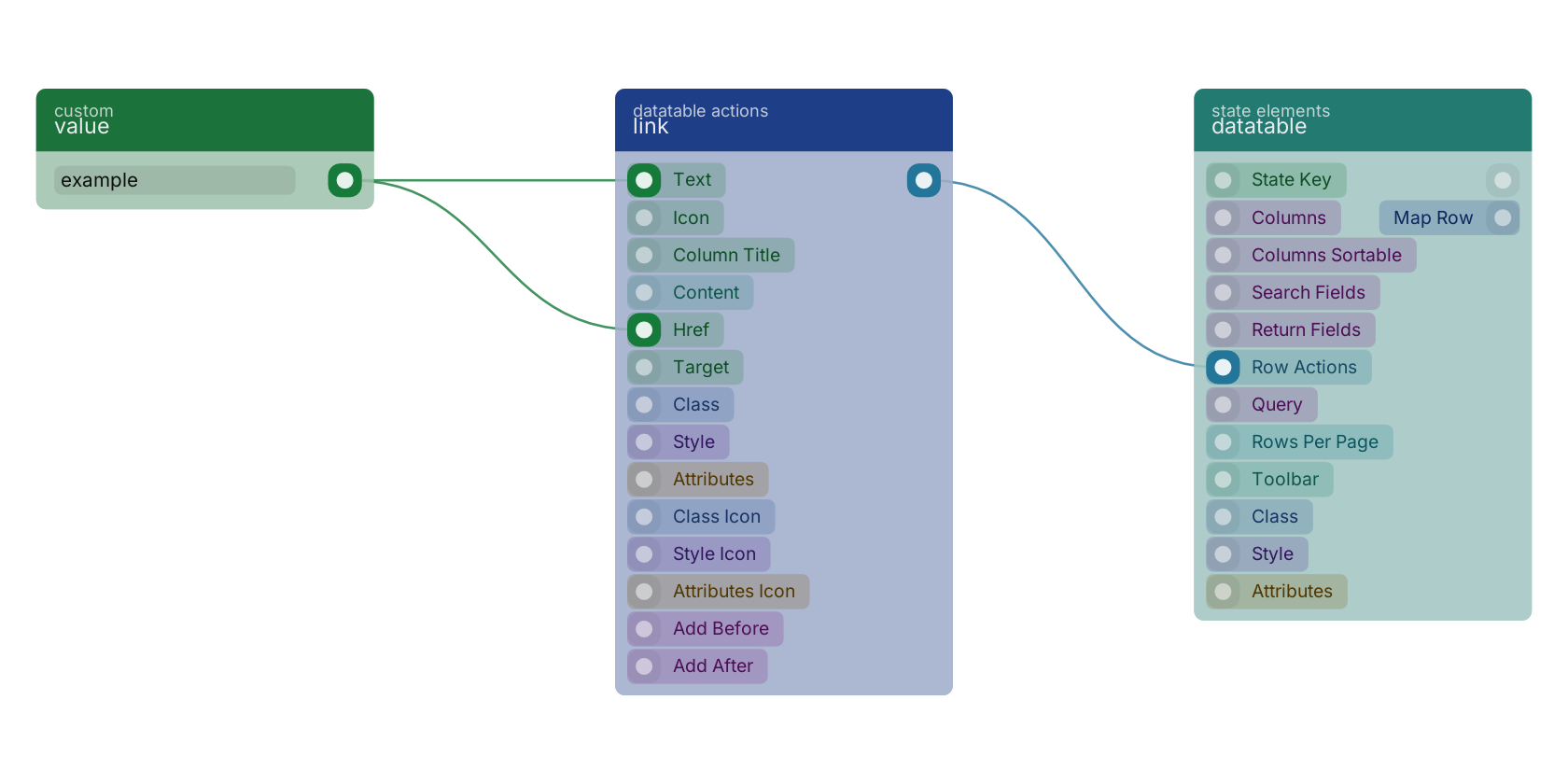
A typical wiring for link: value feeds the text pin; value feeds the href pin; the statedatatableconnection out pin feeds datatable.
Version history
Introduced in v13.0.1.
Last modified in v13.0.6.
Back to
state ui Return to the main group to view all sub-groups Back to datatable actions Return to the group to view all blocks within this group